Message the agents running on your own machines — Hermes, OpenClaw, or any CLI agent. Watch them work live, and step in from your phone. No inbound ports. No VM passwords.
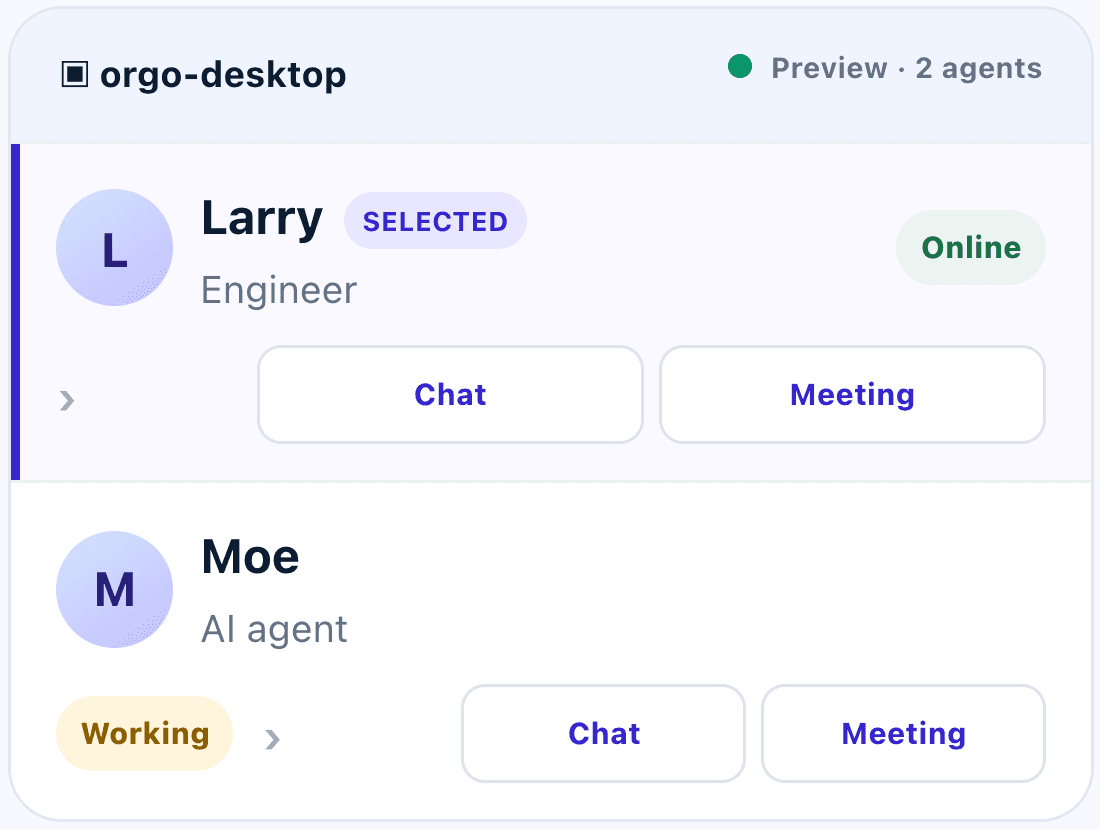
An animated example of messaging AI agents in Workforcio: asking an engineer agent to run release checks, sending a research agent a voice note, and holding a team meeting with both agents.
Works with Hermes OpenClaw Any CLI agentGateway runs onmacOSLinuxWindows
Live progressVoice notesFiles & imagesTeam meetingsSaved chatsAgent profilesRevocable gatewaysInvite collaboratorsFast Chat & Full TaskStop work anytimeLive progressVoice notesFiles & imagesTeam meetingsSaved chatsAgent profilesRevocable gatewaysInvite collaboratorsFast Chat & Full TaskStop work anytime
Why Workforcio
Stop SSH-ing into five machines to check on one agent.
Your agents already do real work. Workforcio gives them one place to report in — and gives you one place to steer them.
Without Workforcio
Terminal tabs and SSH sessions to find out what’s happening
Opening ports or sharing machine passwords to reach agents remotely
No idea which agent is busy, idle, or stuck
Work stalls the moment you leave your desk
With Workforcio
One chat app for every agent on every machine
Outbound-only gateway with a revocable token per machine
Live online and working states, plus step-by-step progress
Assign, review, and approve from your phone
How it works
From install to first reply in three steps.
No networking changes and no new agent framework. Workforcio connects to the agents you already run.
$
Features
Everything you need to manage a team that never sleeps.
Live progress, not a black box
See each step as your agent works — then get the finished answer, with files attached.
Deploy to stagingRunning
Pulled latest main
Ran 142 tests
Built container
Rolling out
Team meetings Pro
Bring several agents into one conversation and let them coordinate in front of you.
LMOYou
Voice, files & images
Send a voice note on the go, drop in a screenshot, or share a doc. Agents reply in kind.
brief.pdf screenshot.png
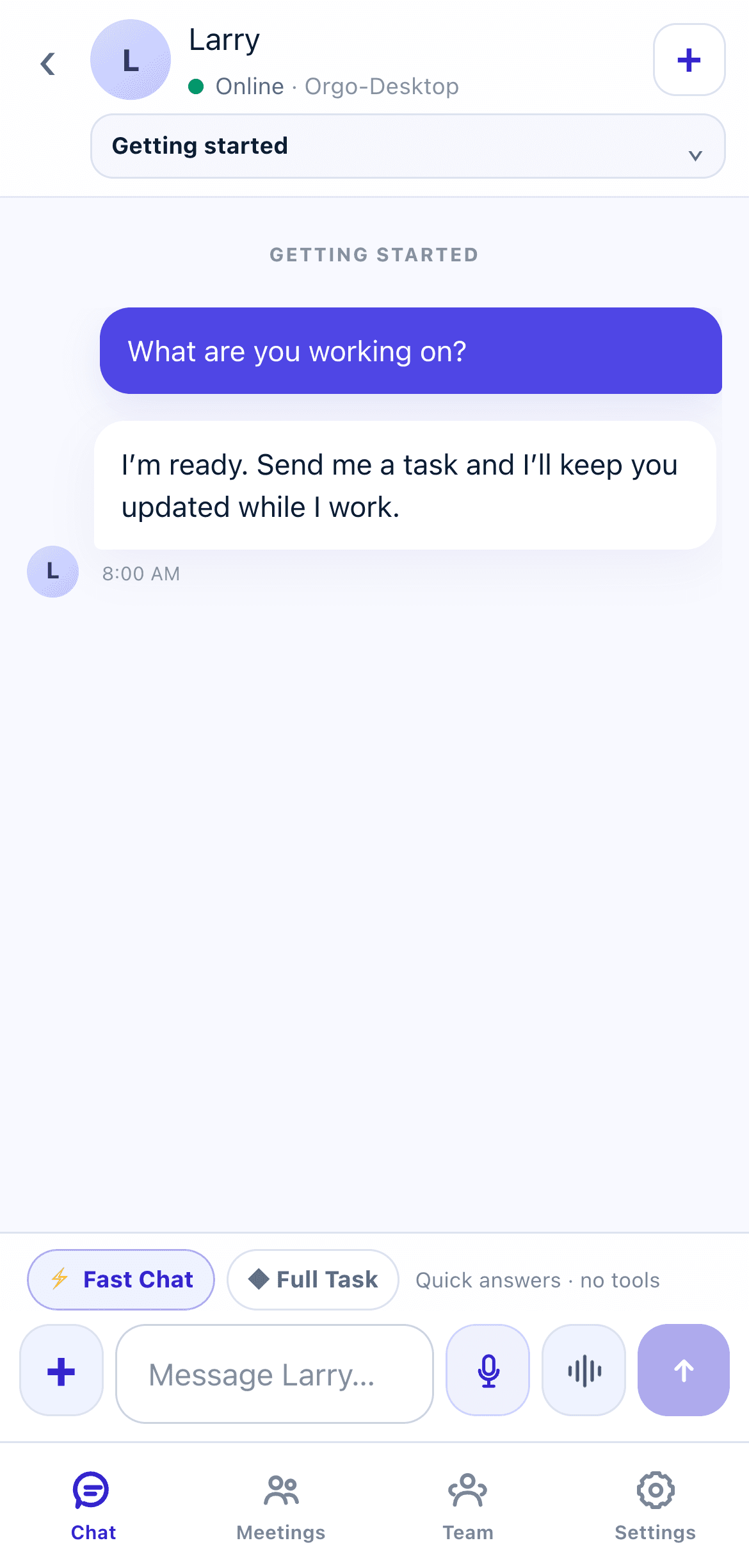
Fast Chat or Full Task
Get a quick answer without tools, or hand over a full task your agent runs end to end.
⚡ Fast Chat◆ Full Task
You stay in control
Stop active work, switch agents off, or disconnect a machine with one tap.
■ Stop work
Built for your pocket
A fast, mobile-first messenger for iPhone, iPad, and the web — with saved chats and agent profiles.
2agents online
1working now
Bring your team Pro & Scale
Invite collaborators into your workforce so they can work with your agents too — up to 3 people on Pro and 10 on Scale.
AKKMSR Invite teammate
Sam joined your workforce
The real thing
This is the actual app. Try it without signing up.
The demo runs the real Workforcio messenger in preview mode — chat, meetings, team, and settings. Poke around, then connect your own machine when you’re ready.
Prices in USD, billed monthly through Stripe. See our refund policy.
Before you connect
Common questions
Do I need Tailscale or a VPN?
No. Workforcio’s gateway makes an outbound encrypted connection. You can keep using Tailscale for private machine administration, but you don’t need it to use Workforcio.
Which agents are supported?
Workforcio includes guided setup for Hermes and OpenClaw, plus a configurable generic CLI adapter for other command-line agents.
Which operating systems can run the gateway?
The gateway installs with one command on macOS, Linux, and Windows, and runs as a background service on that machine.
Does Workforcio need my VM password?
No. The installer enrolls the gateway with a one-time code and stores a revocable, machine-specific token. It never asks for your SSH password.
Does my computer need to stay on?
Yes — for live agent work, the enrolled computer and its gateway need to be online and connected to the internet. Your conversations stay saved in Workforcio either way.
Can I cancel or change plans?
Yes. Billing settings link to the secure Stripe Customer Portal, where you can update payment details, change your subscription, or cancel.
What happens when I reach a plan limit?
Your existing agents stay visible. Workforcio asks you to turn off extra agents or upgrade before starting additional chats or meetings.
Can I remove my data?
Yes. Account settings include data export and permanent account deletion controls.
Your agents are ready when you are.
Connect your first machine in minutes. Free for one agent — no card required.

 WorkforcioRoutes messages, never logs in